> ## Documentation Index
> Fetch the complete documentation index at: https://docs.tiro.ooo/llms.txt
> Use this file to discover all available pages before exploring further.
# Using multiple devices
> Sign in to the web, desktop app, and mobile app at the same time with one account. Your notes live on the server, so they look the same on every device.
## One account, everywhere
Tiro runs on the web, the desktop app (Windows and Mac), and the mobile app (iOS and Android). Sign in with the same account and you get the same notes and the same plan on any device.
* There's no limit on simultaneous logins. Stay signed in on your work computer, your laptop, and your phone all at once.
* Notes live on the server and sync automatically across devices. A note you record on the desktop opens on your phone right away.
* A plan belongs to a workspace, not to an account, so whichever device you connect from, that workspace's plan applies.
## Record on one device at a time
One account can run only one recording at a time.
* Start a new recording on a second device while the first is still recording, and **the second device takes over the recording while the first device's recording ends.**
* On mobile, you'll see a notice that reads "Currently streaming on other device."
* If several people each need to record, have them join the workspace with their own accounts. See [Workspace](/en/guide/workspace/overview).
## Manage your logged-in devices
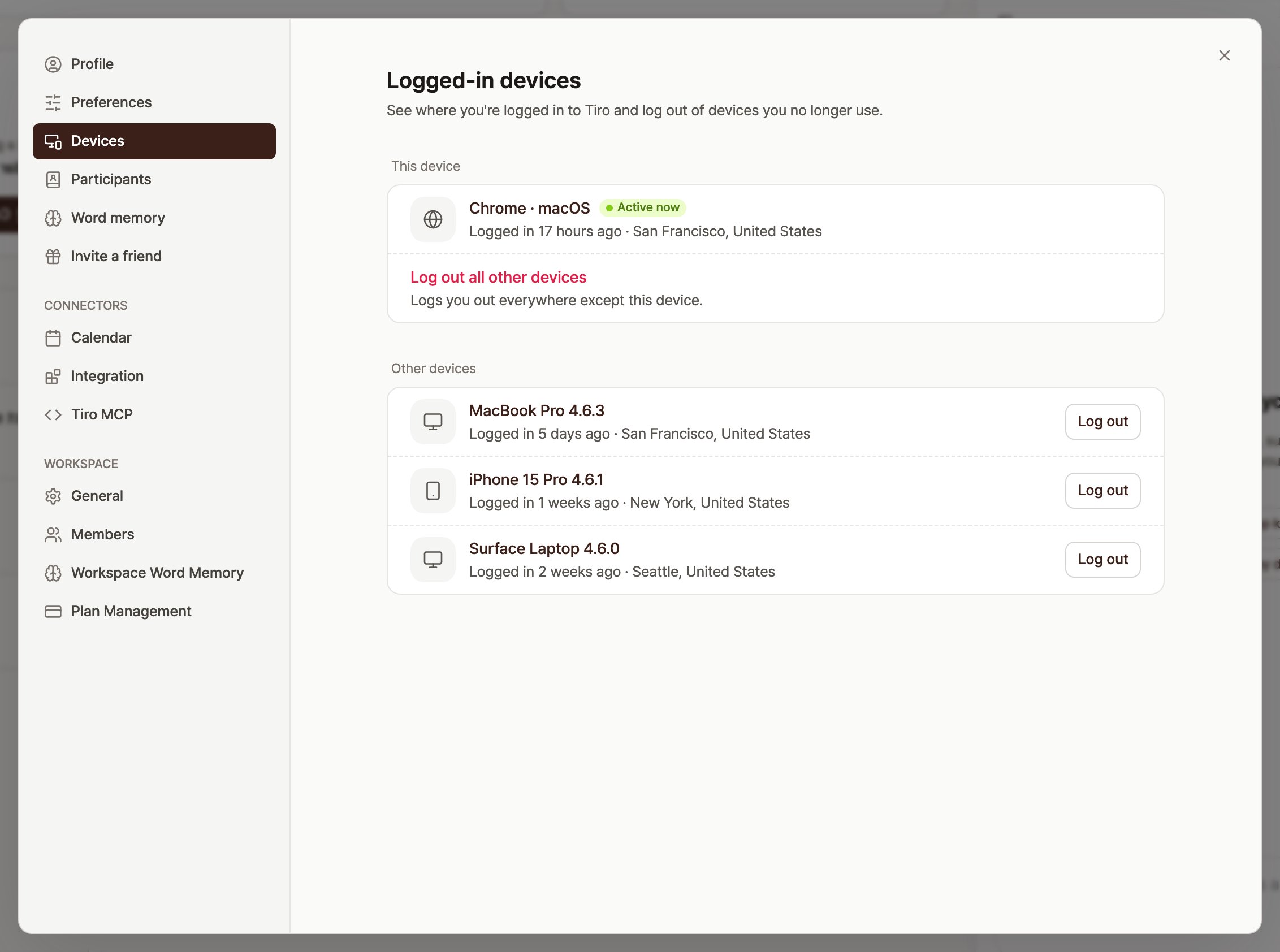
Go to **\[Settings]** → **\[Logged-in devices]** to see every device signed in to your account and log out the ones you no longer use. This helps when you lose your phone or walk away from a shared computer while still signed in.
* Your current device sits at the top with an **\[Active now]** badge. You don't log this device out here.
* In the **\[Other devices]** list, press a device's **\[Log out]** button to sign out that device only.
* Press **\[Log out all other devices]** to sign out everywhere **except** this device at once.
* Logging out leaves your notes untouched on the server, so they look the same when you sign back in.
 ## Frequently asked questions
### Can I share one account with my teammates?
You can open the same note on several devices at once, but you can't record on more than one at a time, and it's not a good idea for personal settings or security either. For a team, it's safer and easier for everyone to join a single workspace with their own account.
### Do settings apply per device?
Account settings like speaker separation and listen-back apply across all your devices. Settings stored on the device itself, such as saving audio files locally, work only on that device.
### My desktop recording stopped when I started recording on my phone.
That's intended. One account keeps only one recording at a time, so the device that started later takes over. Whatever the first device recorded stays in the note.
### I lost a device. Can I log out only that device?
Yes. From another device, open **\[Settings]** → **\[Logged-in devices]** and press the **\[Log out]** button on the lost device to sign out that device only. If you're worried about your account password, change it at the same time.
***
**Related pages**: [Account management guide](/en/guide/account/overview) · [Account FAQ](/en/guide/account/faq) · [Apps](/en/guide/start/download)
## Frequently asked questions
### Can I share one account with my teammates?
You can open the same note on several devices at once, but you can't record on more than one at a time, and it's not a good idea for personal settings or security either. For a team, it's safer and easier for everyone to join a single workspace with their own account.
### Do settings apply per device?
Account settings like speaker separation and listen-back apply across all your devices. Settings stored on the device itself, such as saving audio files locally, work only on that device.
### My desktop recording stopped when I started recording on my phone.
That's intended. One account keeps only one recording at a time, so the device that started later takes over. Whatever the first device recorded stays in the note.
### I lost a device. Can I log out only that device?
Yes. From another device, open **\[Settings]** → **\[Logged-in devices]** and press the **\[Log out]** button on the lost device to sign out that device only. If you're worried about your account password, change it at the same time.
***
**Related pages**: [Account management guide](/en/guide/account/overview) · [Account FAQ](/en/guide/account/faq) · [Apps](/en/guide/start/download)