

Overview
Tiro has NoteDocument and NoteSummary. They differ in purpose and in how they are created. For the full Note structure, see Note Data Model.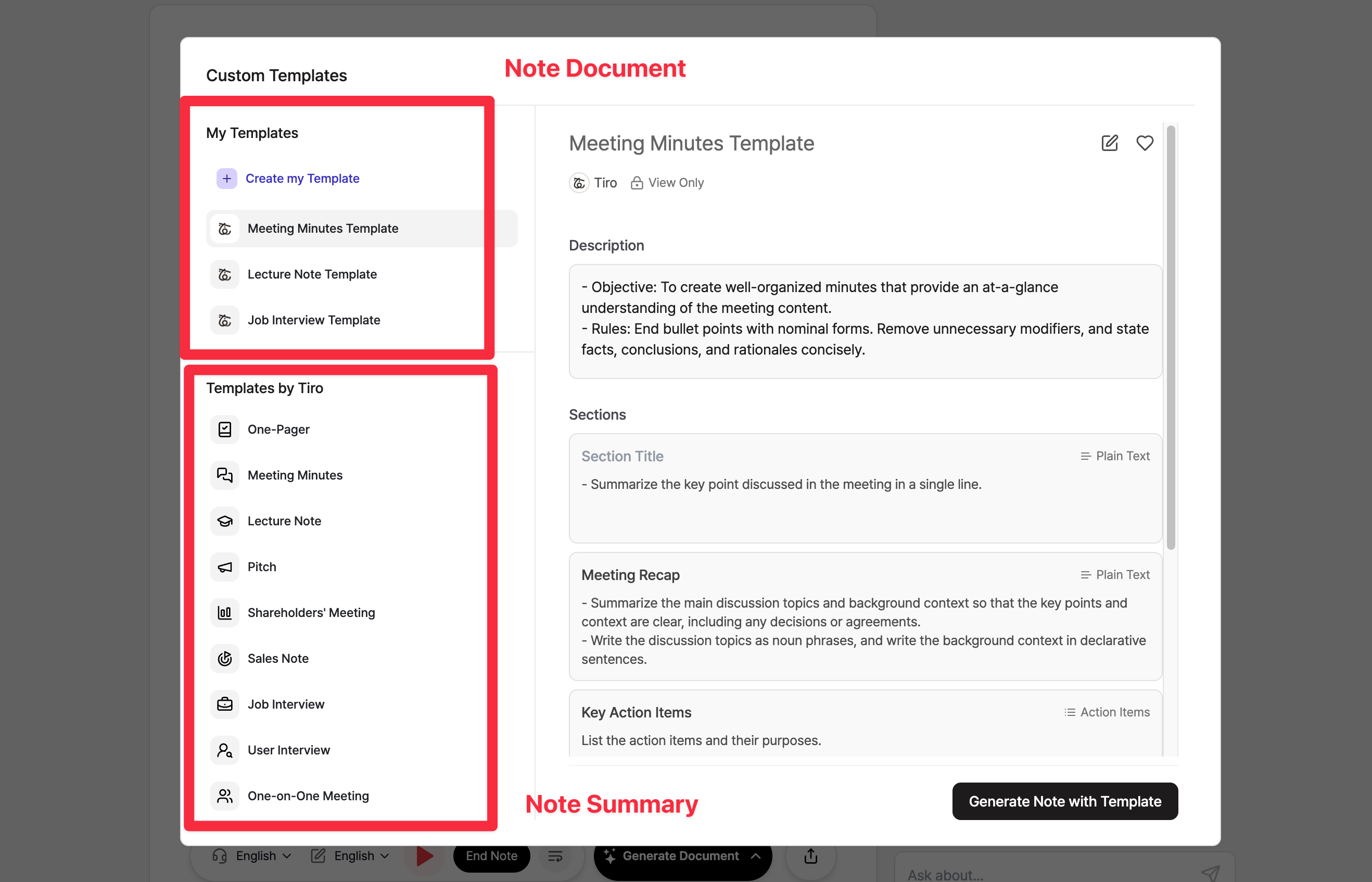
NoteDocument vs NoteSummary
NoteDocument
NoteDocument is a document divided into sections. You can create and retrieve it through the API. Key characteristics:- Created using templates with defined sections
- Supports custom templates with user instructions
- Only create and read (list/single) are available via API. Update and delete are not yet available via API.
- Webhook events for real-time notifications
- 회의록 (Meeting Minutes)
- Custom templates you create
POST /v1/external/notes/{noteGuid}/documents- Generate documentGET /v1/external/notes/{noteGuid}/documents- List documentsGET /v1/external/notes/{noteGuid}/documents/{documentId}- Get document
NoteSummary
NoteSummary provides quick-format templates for different presentation styles. Key characteristics:- Optimized for specific use cases (pitches, one-pagers, etc.)
- Full API support for retrieving summaries
- Webhook events for real-time notifications
- Currently created through Tiro app interface only
- One-Pager
- Pitch
- And other format-specific templates
GET /v1/external/notes/{noteGuid}/summaries- List summariesGET /v1/external/notes/{noteGuid}/summaries/{summaryId}- Get summary with content
note_summary.generated- Summary creation completenote_summary.updated- Summary modifiednote_summary.deleted- Summary deleted