

My recording was paused out of nowhere
When a recording starts on another device under the same account, the recording you had running is paused. One account can run only one recording at a time. Everything recorded so far stays in your note. There’s one thing to check. Did you start that other recording?One account, everywhere
Tiro runs on the web, the desktop app (Windows and Mac), and the mobile app (iOS and Android). Sign in with the same account and you get the same notes and the same plan on any device.- There’s no limit on simultaneous logins. Stay signed in on your work computer, your laptop, and your phone all at once.
- Notes live on the server and sync automatically across devices. If changes do not sync, refresh when you are not recording. Press
Ctrl + Ron Windows orCommand + Ron Mac. On mobile, pull down on the screen to refresh. - A plan belongs to a workspace, not to an account, so whichever device you connect from, that workspace’s plan applies.
Record on one device at a time
One account can run only one recording at a time.- Start a new recording on a second device while the first is still recording, and the second device takes over the recording while the first device’s recording is paused.
- The paused device shows a notice that reads “Recording paused.” It appears on the web, the desktop app, and the mobile app. When the mobile app isn’t on screen, a notification arrives first if you have notifications turned on, and the notice appears once more the next time you open the app.
- This limit applies per account. Linking several email addresses or adding Google or Microsoft sign-in still leaves you with one account, so the number of recordings you can run at once stays at one. The same goes for workspaces: even if one account creates several workspaces and subscribes to a plan in each of them, that account can still run only one recording at a time.
- If several people each need to record, have them join the workspace with their own accounts. See the section below.
Can several people record at the same time?
Separate accounts can each record their own note at the same time, even inside the same workspace. Two meetings running at once will not cut each other off.- For two accounts to share a workspace, it has to be a workspace that holds more than one person. Personal plans (Lite, Pro, Max) allow one person per workspace, so you cannot invite another account.
- To record, you need the Admin or Member role in the workspace. Viewer and Unpaid Admin cannot record.
- For more on roles, see Workspace.
Can two people record into the same note?
No. Only the person who created a note can record into it. That holds whether you try at the same time or take turns.- Sharing with edit access does not grant recording. A note shared with you shows no record button at all. Sharing is for reading and polishing a note that already exists.
- Someone else cannot take over recording mid-meeting either. They need to create their own note and record there.
There is no way to merge two separately recorded notes into one yet.
Manage your logged-in devices
Go to [Settings] → [Logged-in devices] to see every device signed in to your account and log out the ones you no longer use. This helps when you lose your phone or walk away from a shared computer while still signed in.- Your current device sits at the top with an [Active now] badge. You don’t log this device out here.
- In the [Other devices] list, press a device’s [Log out] button to sign out that device only.
- Press [Log out all other devices] to sign out everywhere except this device at once.
- [MCP Integration] is not a device. It is a connection between Tiro and an AI tool such as Claude. Logging it out stops that tool from accessing your notes; to keep using it, reconnect Tiro from the tool. For setup, see Connect Tiro to AI.
- Logging out leaves your notes untouched on the server, so they look the same when you sign back in.
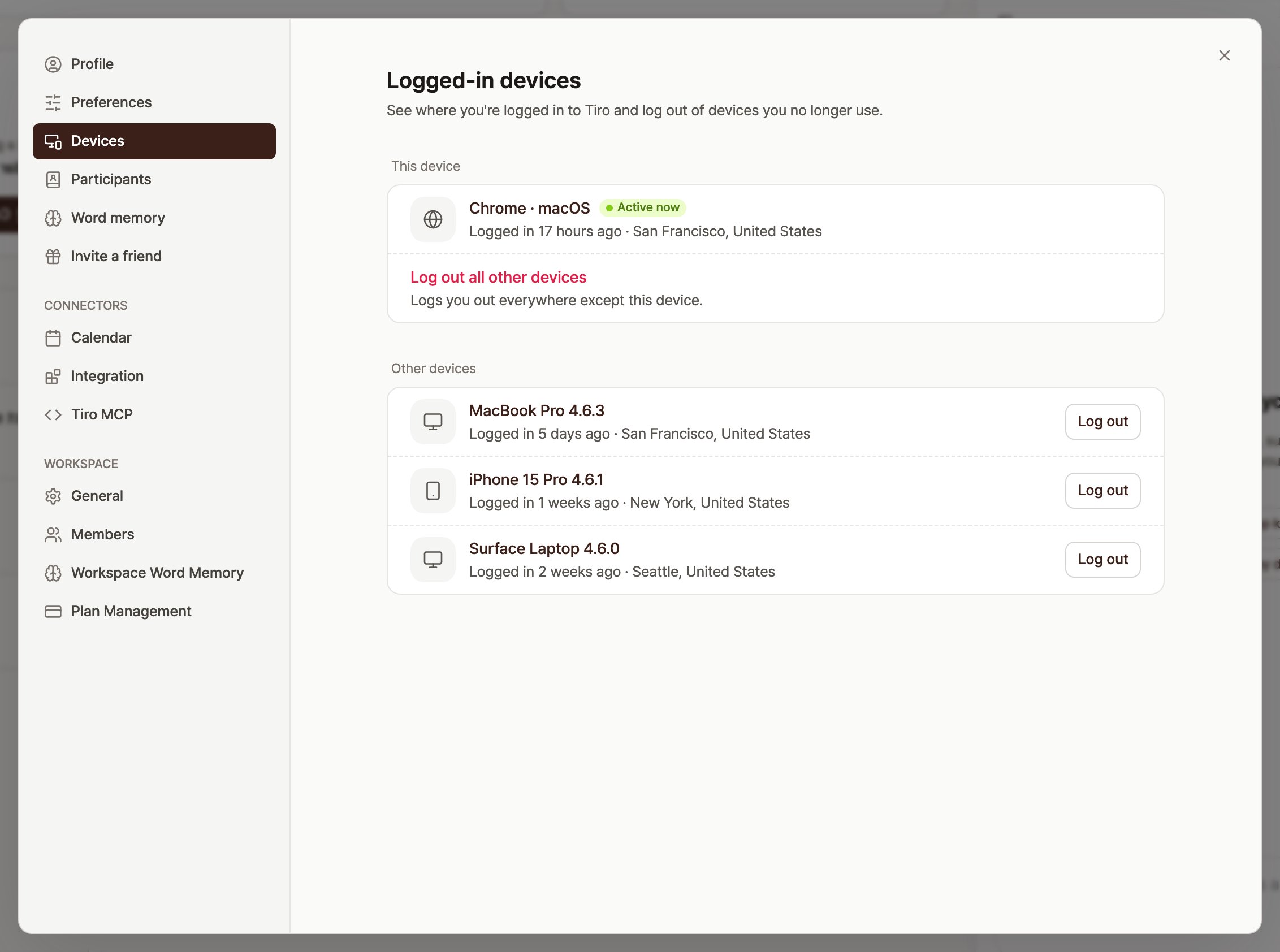
The "Logged-in devices" screen. A [Log out all other devices] row sits below your current device, and each other device has its own [Log out] button
Frequently asked questions
Can I share one account with my teammates?
You can open the same note on several devices at once, but you can’t record on more than one at a time, and it’s not a good idea for personal settings or security either. For a team, it’s safer and easier for everyone to join a single workspace with their own account.Do settings apply per device?
Account settings like speaker separation and listen-back apply across all your devices. Settings stored on the device itself, such as saving audio files locally, work only on that device.My desktop recording paused when I started recording on my phone.
That’s intended. One account keeps only one recording at a time, so the device that started later takes over. Whatever the first device recorded stays in the note.Can I continue recording into a note my teammate created?
No. Only the person who created a note can record into it. Even with edit access, no record button appears. If you need to carry on recording, create a new note, record there, and keep both notes in the same folder.If I link several email addresses, can I run two recordings at once?
No. However many sign-in methods you link, it is still one account, so only one recording runs at a time. Two simultaneous recordings need two separate accounts, and for those accounts to share a workspace, it has to be a workspace that holds more than one person.I lost a device. Can I log out only that device?
Yes. From another device, open [Settings] → [Logged-in devices] and press the [Log out] button on the lost device to sign out that device only. If you’re worried about your account password, change it at the same time.Related pages: Account management guide · Account FAQ · Apps