

Web
Open tiro.ooo in a browser (Chrome, Safari, and others) and start using Tiro right away, with nothing to install. The web app covers the core features: live recording, audio file upload, and note management. Because of browser security policies, it cannot record system audio (the sound your computer plays) or do offline recording.Desktop app (Windows and Mac)
Install it from the download page. Windows 10 or later is supported, and the Mac installer works on both Intel and Apple Silicon.- System audio recording: capture the other side of a video call on Zoom or Google Meet, plus sound from videos and lectures. For details, see Record video calls & computer audio.
- Supports offline recording and saving audio files locally.
- Meeting reminders: connect your calendar to get a reminder 10 minutes before a meeting starts and begin recording with one click.
- The app updates itself. To check your version or fix update problems, see App updates.
- Payment happens in a web browser. Start a subscription from [Settings] → [Manage Subscription], and the web checkout window opens.
Keyboard shortcuts
Use keyboard shortcuts to open frequently used features in the web and desktop apps. UseCmd on Mac and Ctrl on Windows.
Each shortcut works only on the screens listed below. Shortcuts that include
Cmd, Ctrl, or Alt can still run while your cursor is in an input field or document editor. Arrow keys, plain Enter, and Wiki number keys run only under the conditions described below.Start recording or upload audio
These shortcuts work in the note list, note preview, and full note view of the desktop app while the Tiro window is active. They do not work on the Wiki or Recording file recovery screens.Find and navigate notes
Edit note content
Select text in editable note content before using these shortcuts. They work in both the web and desktop apps.There is no shortcut for changing the font family or font size.
Cmd+Shift+P or Ctrl+Shift+P resets selected text to Tiro’s default text color.Wiki cleanup panel
These shortcuts are available only while the Wiki cleanup panel is open in a workspace where Wiki is enabled.
The number shortcuts are disabled while an input or button has focus.
Enter becomes available only after you have reviewed every suggestion that must be decided.
Desktop app display and quit shortcuts
If a shortcut does not work
- Check that you are on a screen listed in the table. A shortcut may work in the note list or preview but not in full view.
- To use arrow keys or plain
Enter, first click outside input fields and document editors. ↑,↓, andEnterfor the note list are disabled while a full-screen conference or QR screen is open.- Mobile home screen widgets and Apple Watch actions are not keyboard shortcuts, so they are not included here.
Mobile app (iOS and Android)
Install it from the App Store or Google Play.- Record instantly, even without internet: offline recording also starts with a single button, and once you finish and reconnect, the recording turns into a note automatically.
- Automatic language detection: even a conversation that mixes several languages is recognized and recorded separately.
- Background recording: recording continues when you lock the screen or switch to another app. Check the recording status from Dynamic Island on iOS, or from a push notification on Android.
- On the new note screen, choose [Real-time] mode to use live dictation and translation.
- Android (Galaxy) also supports call recording conversion.
- Home screen widgets: add a live recording or offline recording widget to your home screen or lock screen to start recording by tapping the widget, without opening the app. Available on both iOS and Android.
Apple Watch
Install the Tiro app on your iPhone and the Tiro Watch app installs on your Apple Watch automatically. Start recording right from your watch and send it to your iPhone automatically. For details, see Apple Watch recording.Appearance (dark mode)
Dark mode is available on the web, desktop app, and mobile app. Choose between System (follows your device setting), Light, and Dark.- Web and desktop: Click your profile icon at the top of the sidebar, then go to [Settings] → [Preferences] → Appearance.
- Mobile: Open the [Settings] screen and choose Appearance.
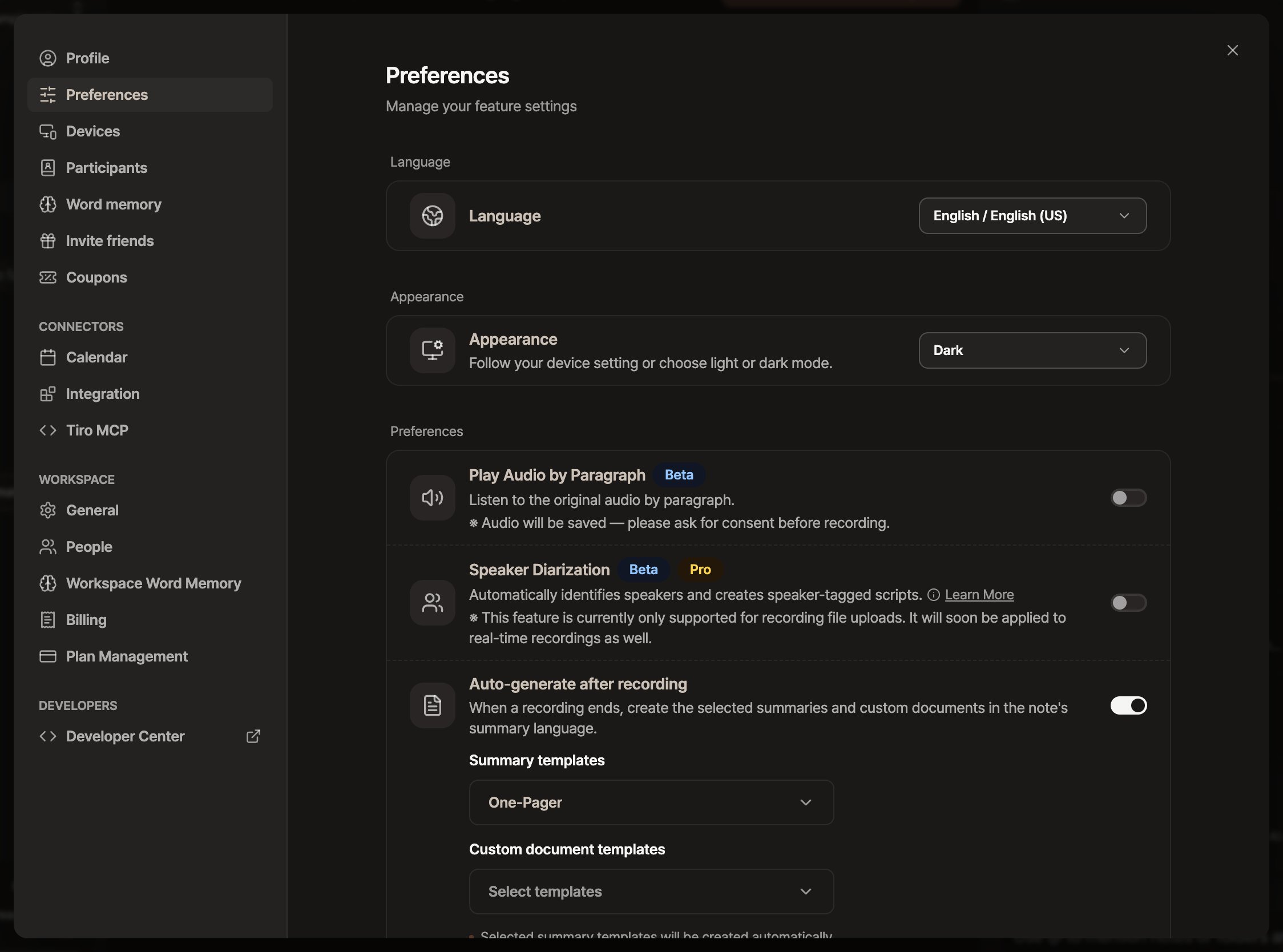
The [Appearance] option in [Settings] → [Preferences], with Dark selected
The dark mode toggle in Conference mode is a separate setting that only applies to the live caption screen for events. To change the app-wide theme, use Appearance above.
Features by platform at a glance
Related pages: Quickstart · Basic notes · Ask Tiro · App updates